Personal Dashboards
Schedule a DemoRole-based dashboards each user shapes to their own work.
Your role, your dashboard
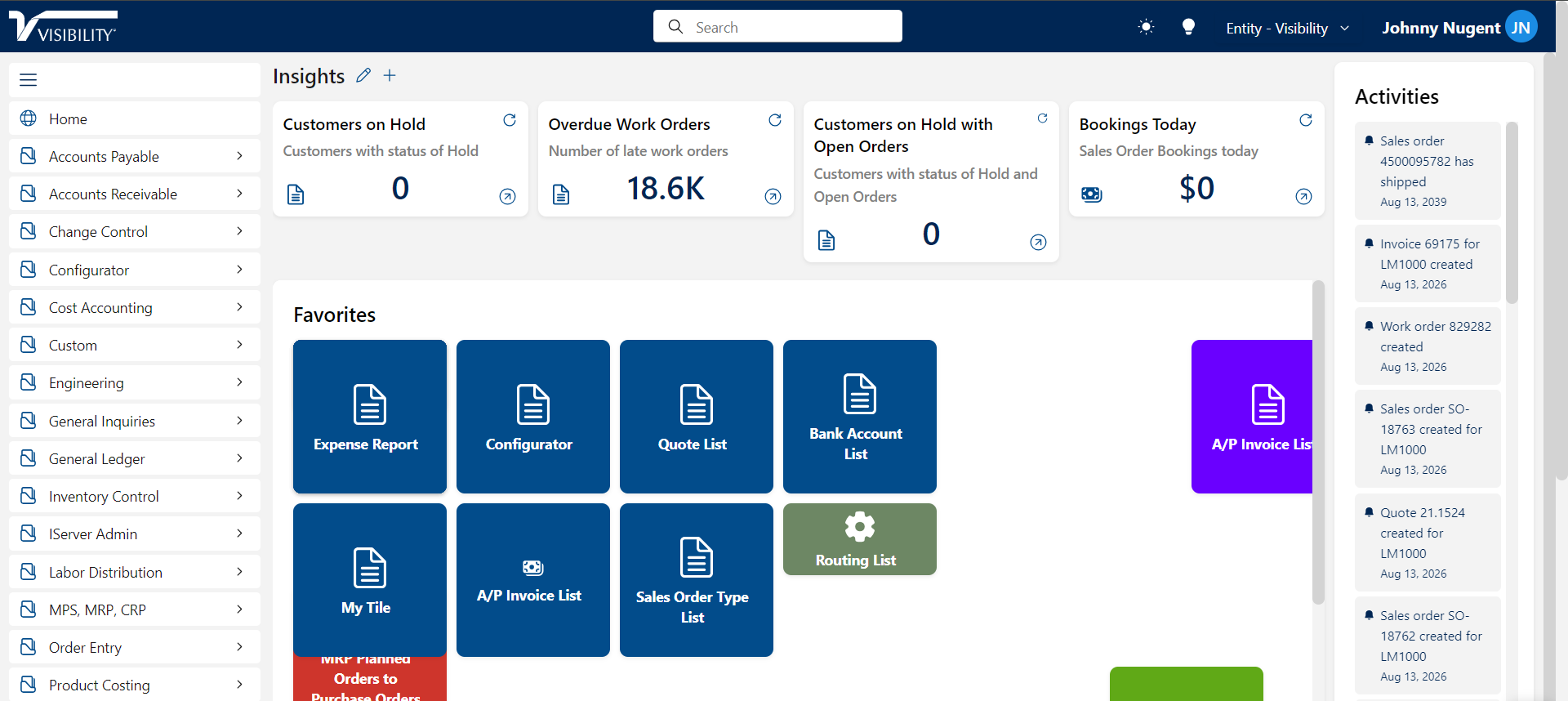
An operator, a planner and a controller need different views of the same facts. Visibility ERP gives each user a personal dashboard, tiles, queues and alerts shaped to their own work, with personalized portals, windows, reports and menus behind it.
How dashboards run on Visibility ERP
Role-based KPIs and work queues drawn from live ERP data, not last week’s export.
Automated workflow and alerts surface exceptions to the person who can act on them.
Every number drills back to the transaction that made it, through business intelligence.
Any report built in IQ Plus can serve a dashboard, the standard 800+ or your own.
Personalized menus, windows and saved views keep each user’s daily path short.
Different roles see different dashboards, but it is one system underneath, so the numbers always agree.
Live data or it does not count
Most dashboards are decorated exports: accurate the moment someone refreshed them, decaying ever since. A dashboard the plant actually trusts has to read from the system where the transactions happen, and it has to answer for its numbers.
Visibility ERP dashboards draw from live ERP data, and every number drills back to the transaction that made it through business intelligence. Each user shapes their own view: role-based KPIs, work queues and alerts, with personalized portals, menus and saved views behind them, so an operator, a planner and a controller each start the day looking at their own work rather than a generic scoreboard. Any report built in IQ Plus can serve a dashboard, from the 800+ standard reports to the ones you build yourself.
Common questions about personal dashboards
Is the data real time?
Yes. Dashboards read live ERP data rather than exports, and drill-down goes from any KPI back to the underlying transactions, so a surprising number can be interrogated on the spot.
Can each user build their own dashboard?
Yes. Users shape their own tiles, queues and alerts around their role, with personalized menus and saved views keeping their daily path short. Different roles see different dashboards, but it is one system underneath, so the numbers always agree.
Where do alerts come from?
The workflow engine watches for exceptions, the late job, the blocked order, the approval waiting, and routes each one to the person who can act on it, on their dashboard rather than in a weekly meeting.
Ready when you are.
Bring your data and workflows. We'll show them running on Visibility ERP.